

https://phosra-api-sandbox-production.up.railway.app. No API key, nothing to install.
https://prodapi.phosra.com and authenticate as the signed-in parent with a WorkOS session
JWT (these are consumer routes; a phosra_ developer key does not work here). See
Authentication.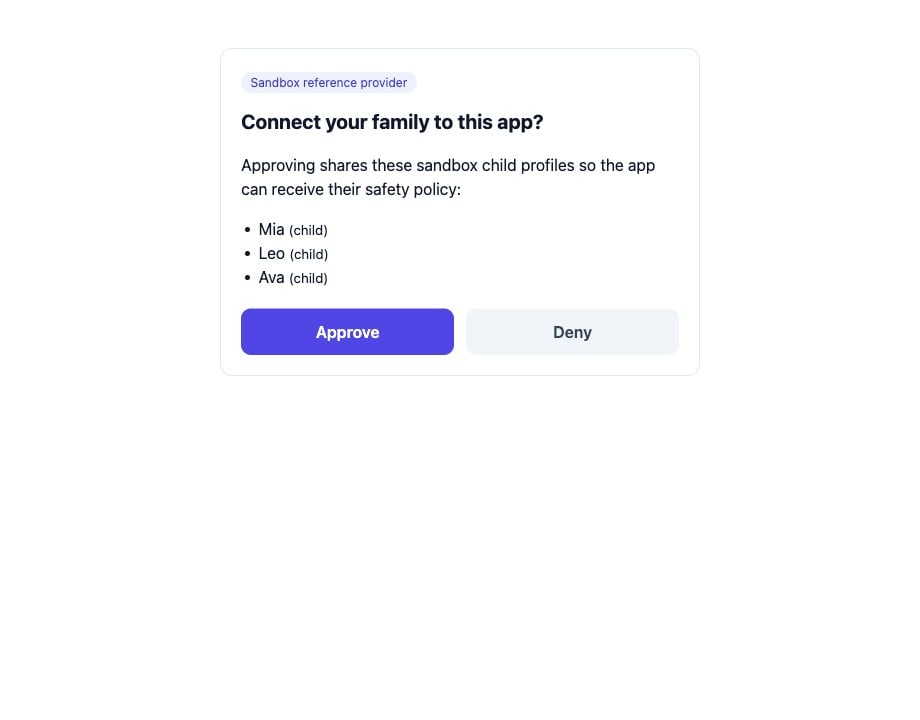
The live sandbox consent page, captured from the running census. This screen belongs to the OAuth connect path (see 'Connect a platform'), not the direct-compliance walkthrough below. The profiles it lists — Mia, Leo, Ava — are the reference provider's built-in sandbox demos, separate from the family you create in this guide.
The ten phases
Create the family
Browse the catalog
Link the first platform (Notflix)
Confirm the link
Link a second platform (Pixagram)
See both managed
Unlink Notflix
Confirm release — and isolation
The survivor is untouched
Relink Notflix
The same journey, in a real app
Before the raw API calls, here is what the ten phases look like to a family. Every screen below is a real screenshot captured from Propagate — a reference parental-control app built on this exact sandbox API — and from a platform’s own website. Nothing is mocked or drawn.Create the family
POST /setup/quick
result — a family plus a child plus a starter policy — rendered for a human.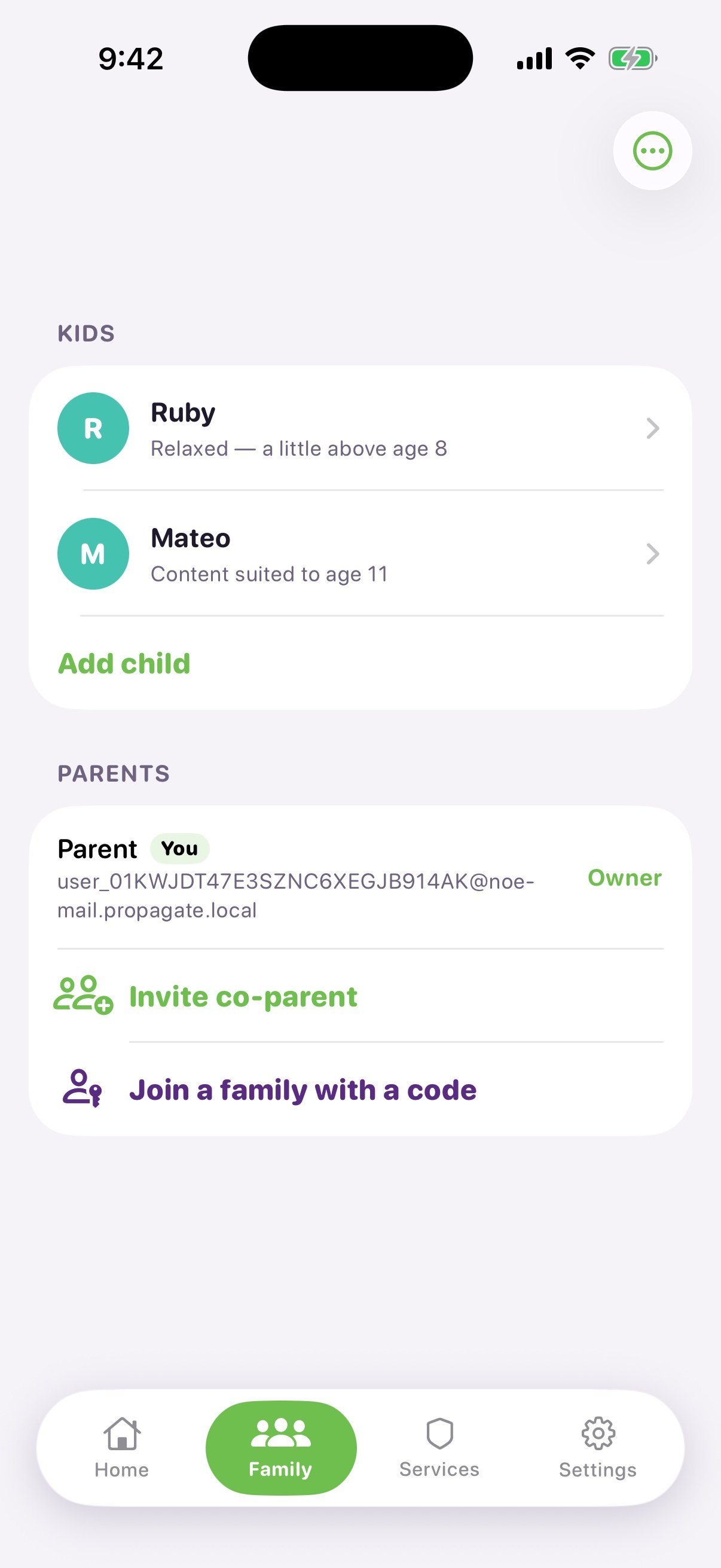
Phase 1 · The family. Ruby carries a 'Relaxed — a little above age 8' strictness label; Mateo is a second child in the app. The parent is the account owner. Ruby is what the setup/quick response below backs.
Browse the catalog
GET /platforms returns this list.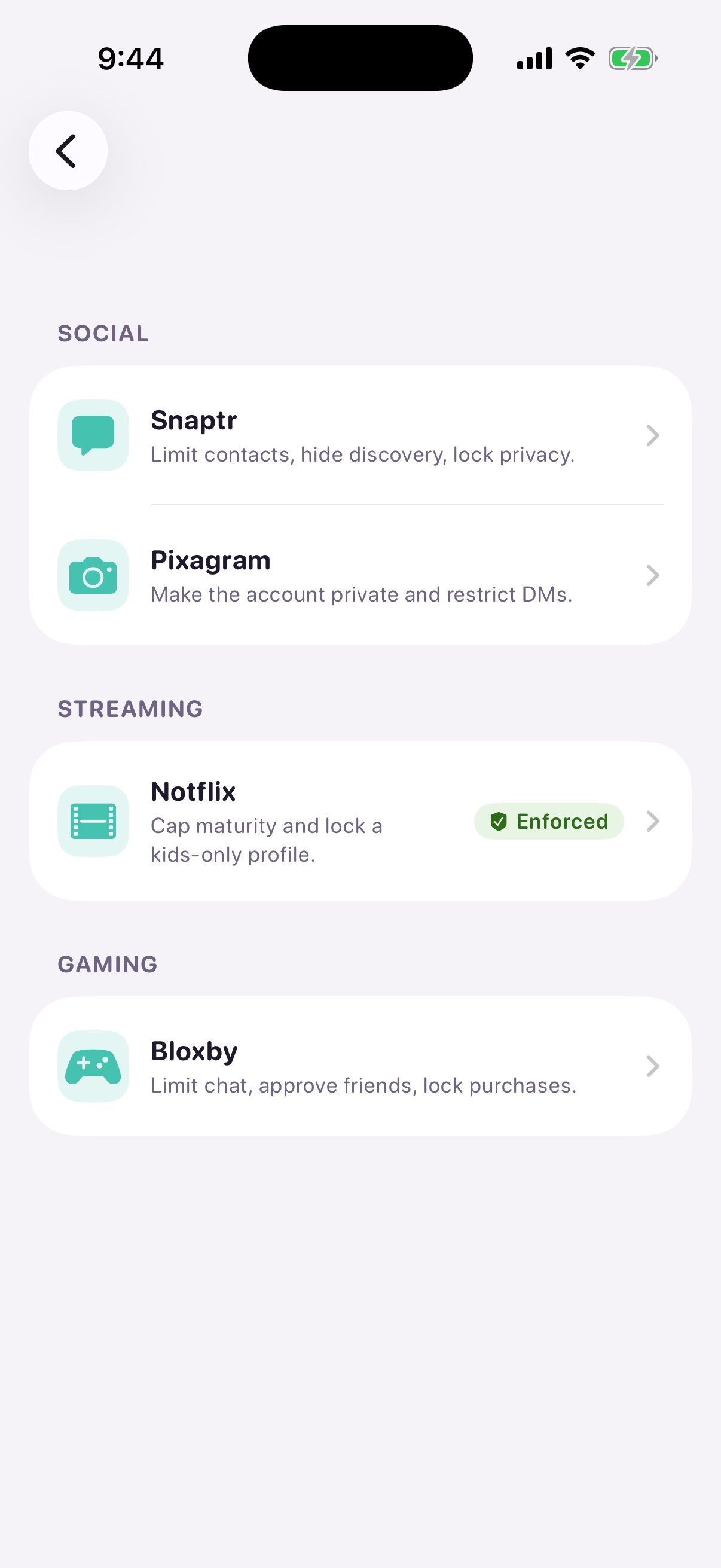
Phase 2 · The catalog. Services are grouped Social / Streaming / Gaming, mirroring the categories GET /platforms returns. The green 'Enforced' badge on Notflix is a real residue of an earlier session on this device — not a preview of this guide's family. A freshly created family (the one the API builds below) shows no badges until a link actually confirms; a badge only ever appears after the platform verifies, never as a hopeful default.
Link the first platform (Notflix)
POST /compliance against platform_id: "netflix".
It states, up front, exactly which rules the platform will apply and confirm before anything turns
green.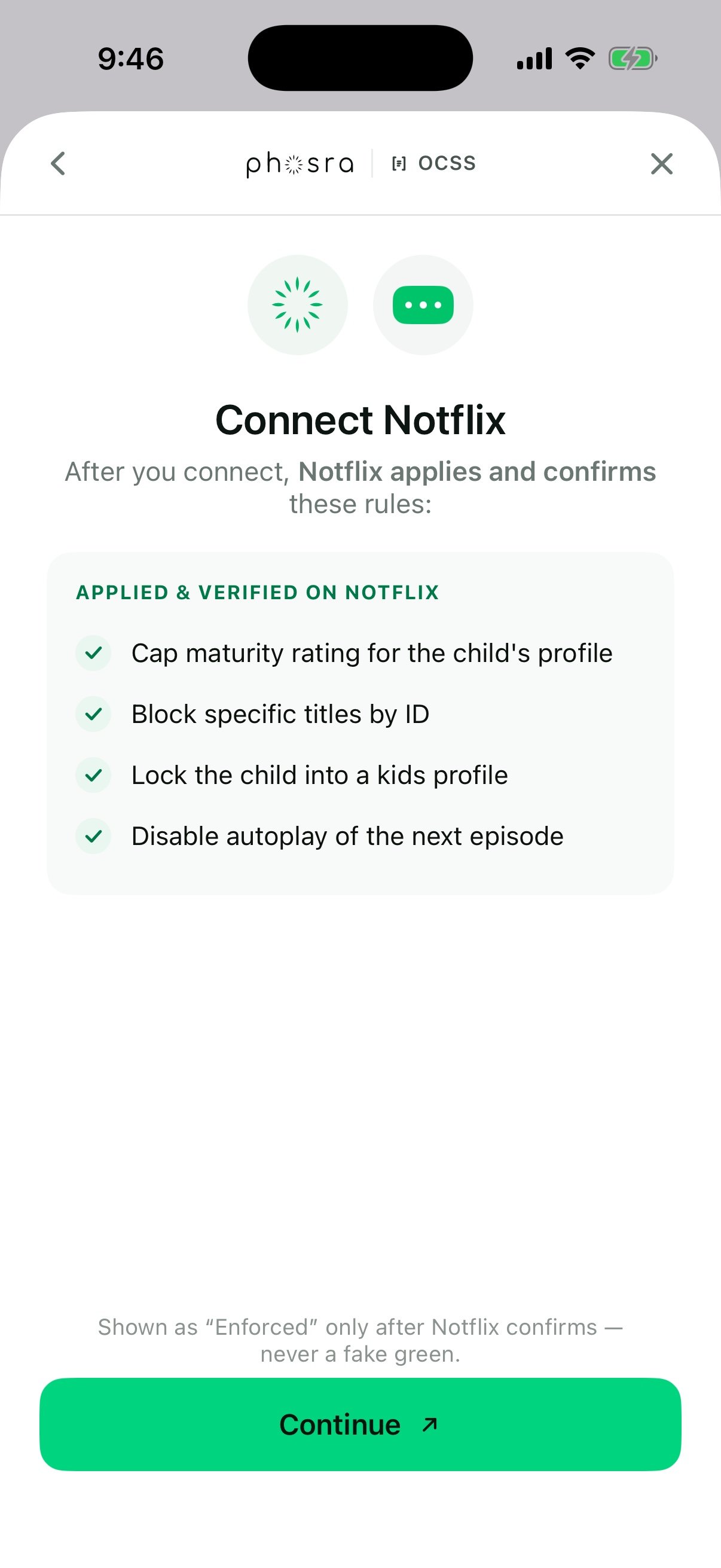
Phase 3 · The link ceremony. Under the co-branded Phosra · OCSS header, the app lists the four rules Notflix will apply and verify. The footer is explicit: 'Shown as Enforced only after Notflix confirms — never a fake green.'
Confirm the link
status: "verified" from the compliance response, shown as
a family sees it: Enforced, connected today, last synced just now.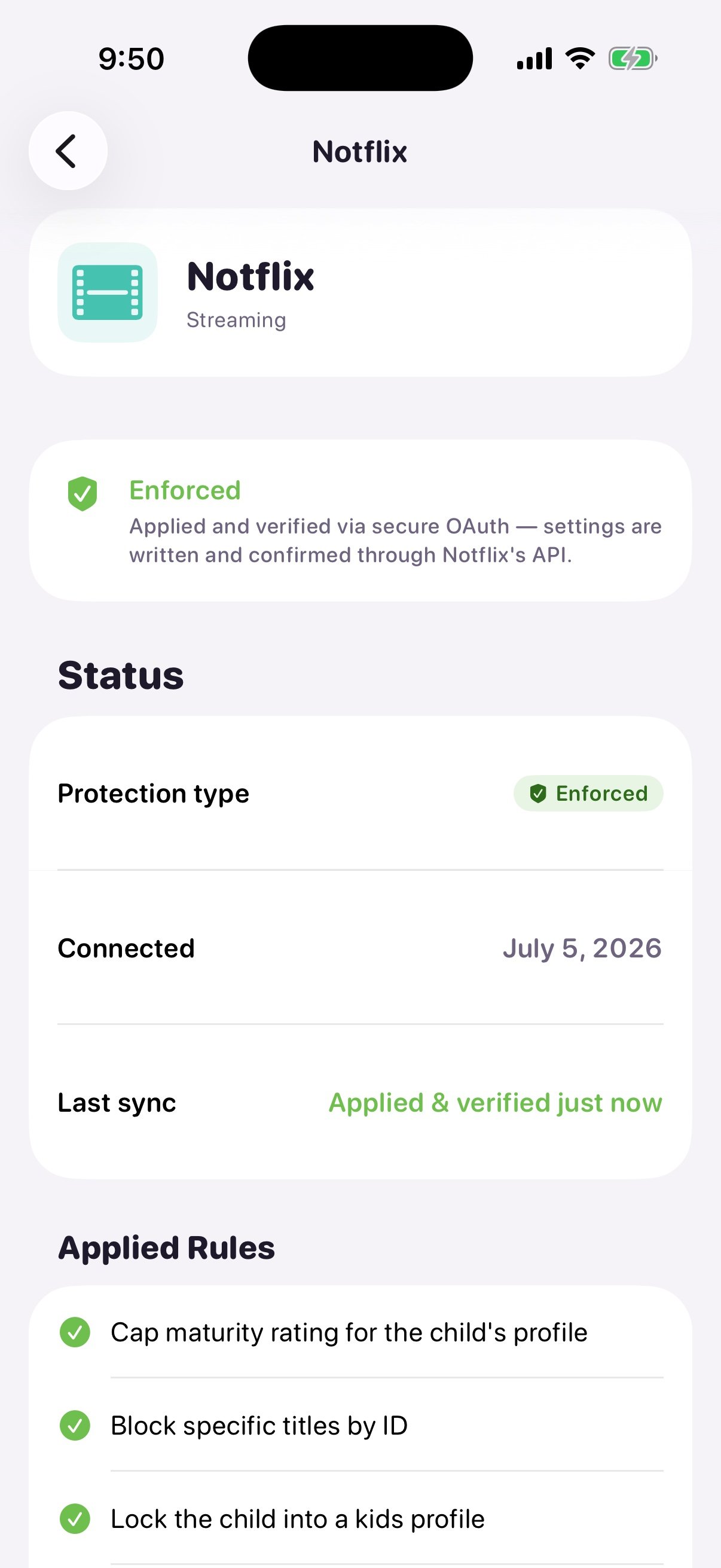
Phase 4 · Confirmed. Protection type 'Enforced', connected July 5 2026, last sync 'Applied & verified just now', with the applied rules listed underneath — the human-readable form of the verified compliance link the API returns for netflix.
Link a second platform (Pixagram)
POST /compliance produces.
(In the API calls this second service is xbox: the catalog has no social equivalent for Pixagram,
so xbox stands in — see the cast note above.)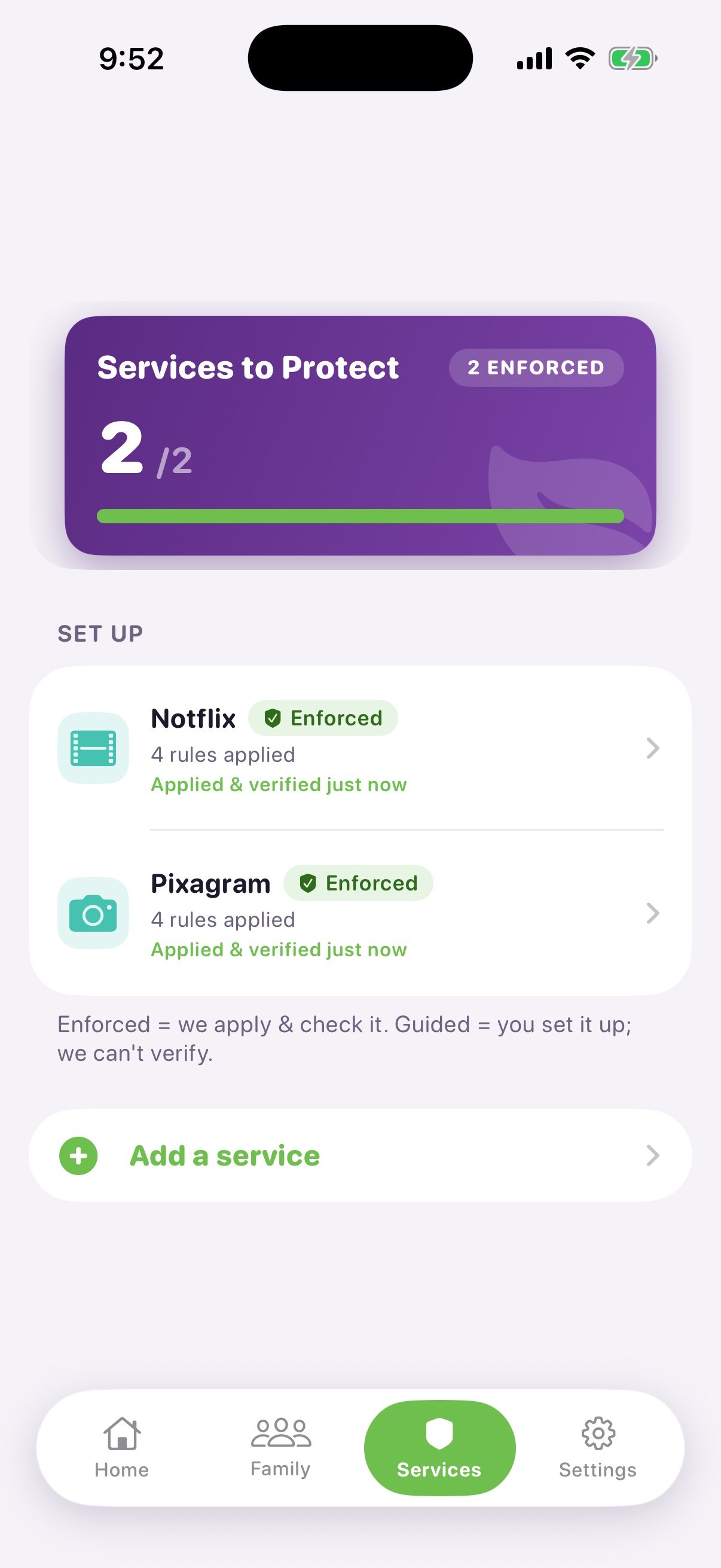
Phase 5 · Two managed. The dashboard shows 2/2 enforced — Notflix and Pixagram, each '4 rules applied · Applied & verified just now'. The footer defines the honest distinction: Enforced = we apply and check it; Guided = you set it up, we can't verify.
See it enforced on the platform
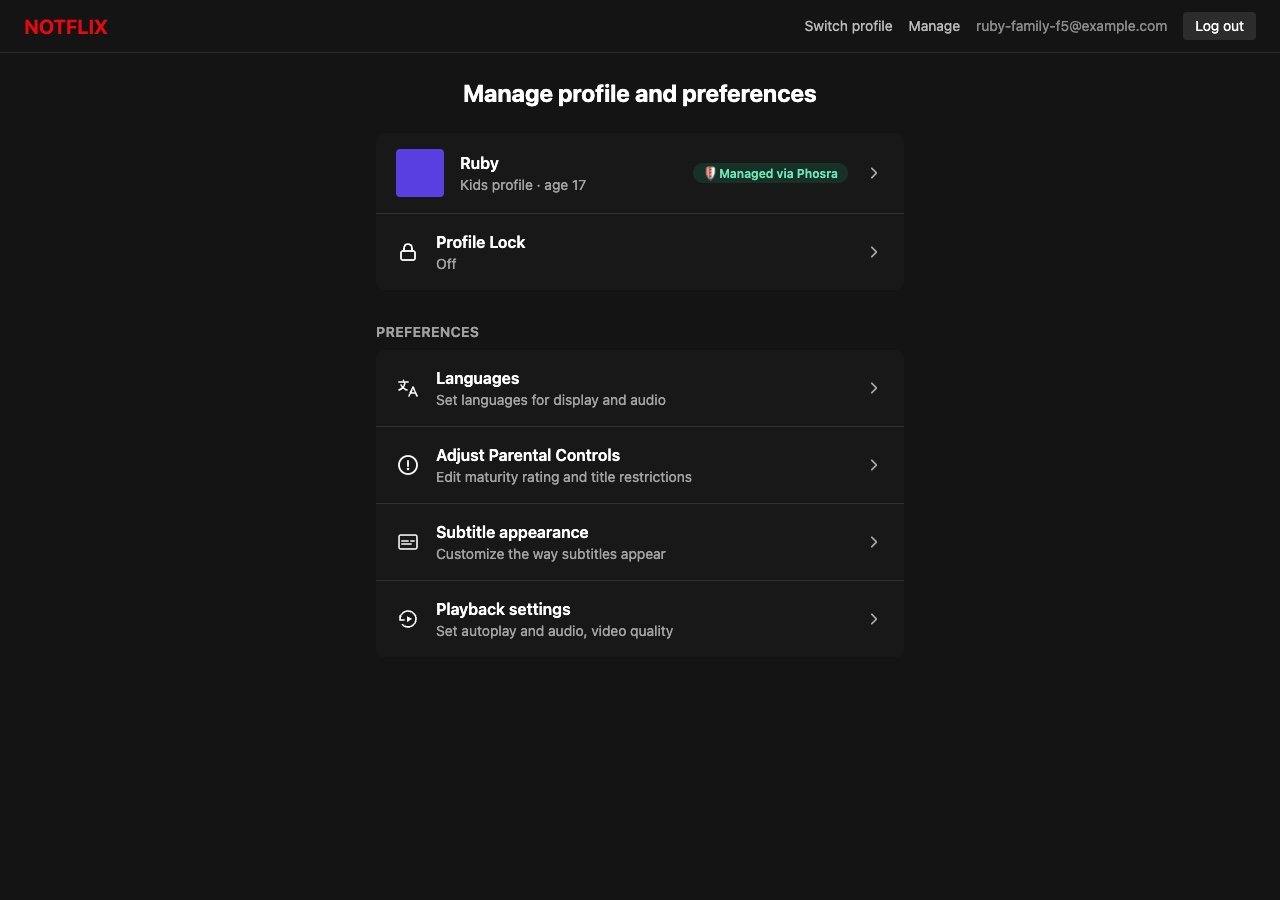
Phase 6 · Enforced at the source. On Notflix's own 'Manage profile and preferences' page, Ruby's linked profile carries a 'Managed via Phosra' badge — proof the connection is live on the platform itself, not just a status inside the parent app. (The 'age 17' on the row is the Notflix reference sandbox's built-in demo label for this profile, not Ruby's Phosra age — she is 8, capped at PG / 7+ by the relaxed preset in Phase 1. The badge, not that number, is what this frame proves.)
Unlink one platform
DELETE /compliance/{linkID} for the Notflix link.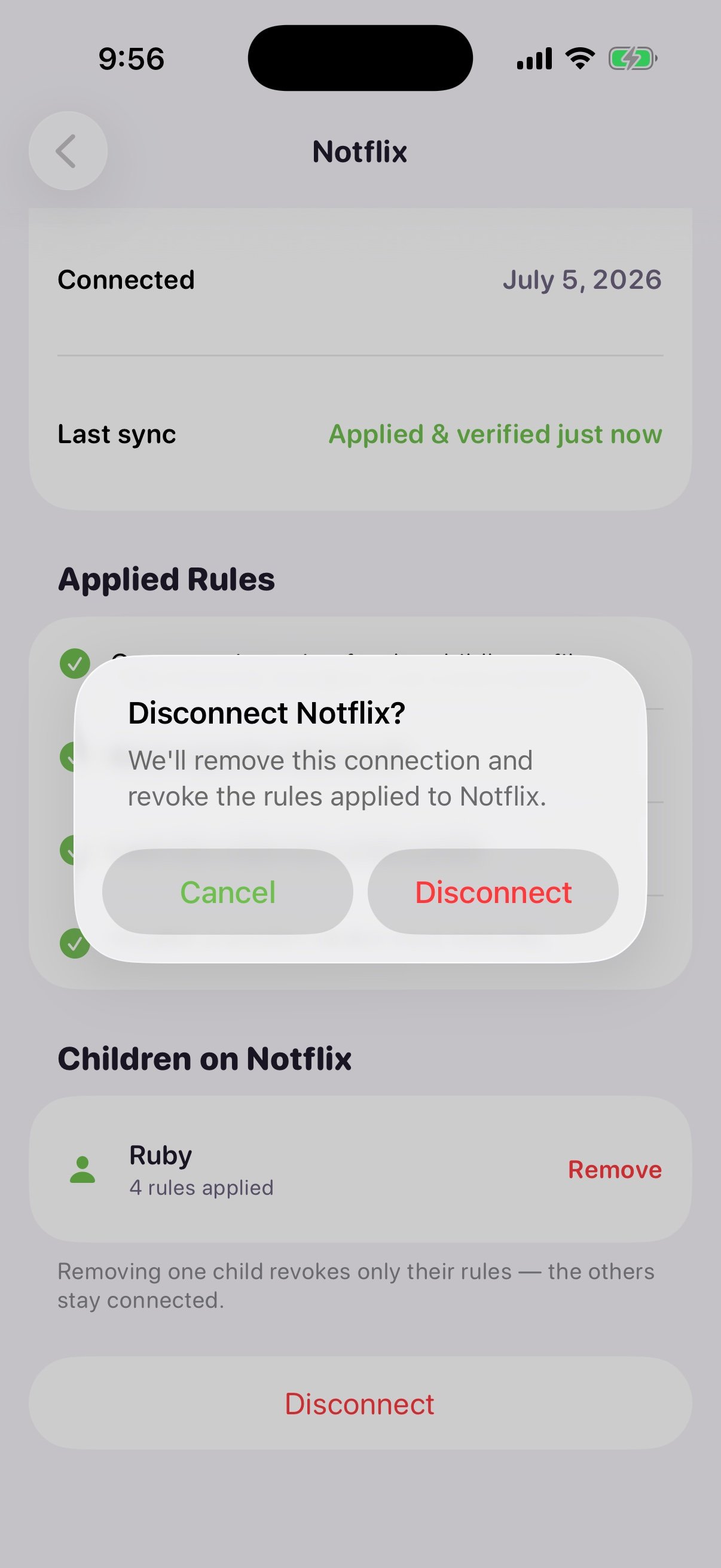
Phase 7 · Unlink, scoped. The 'Disconnect Notflix?' dialog promises to remove this connection and revoke the rules applied to Notflix only. The screen behind it reminds you removing one child revokes only their rules — the others stay connected.
Confirm release
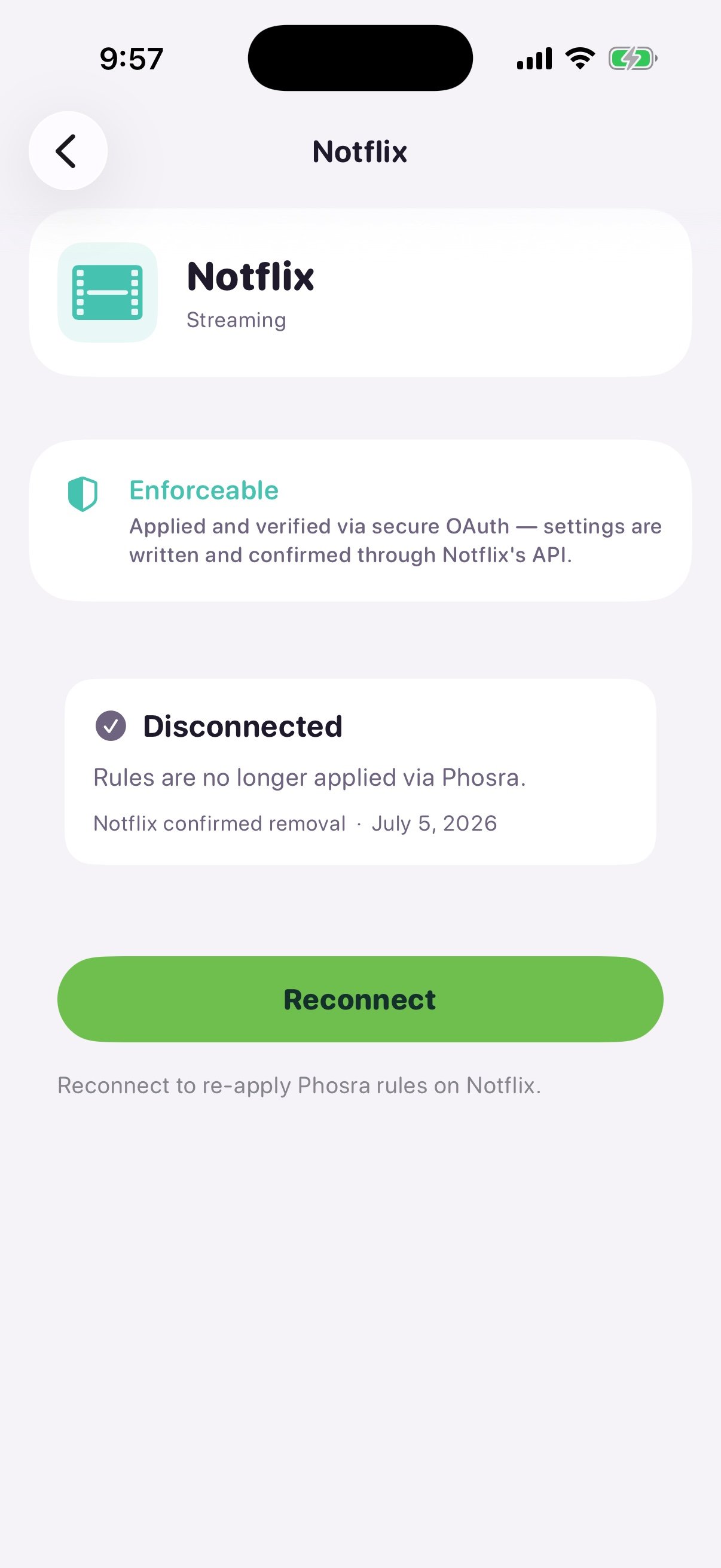
Phase 8 · Released. Notflix now reads 'Disconnected · Rules are no longer applied via Phosra · Notflix confirmed removal'. The rule is provably gone at the source, and a Reconnect button offers the relink path.
The other platform survived
xbox — the same second, unrelated
service standing in for Pixagram, see the cast note above.)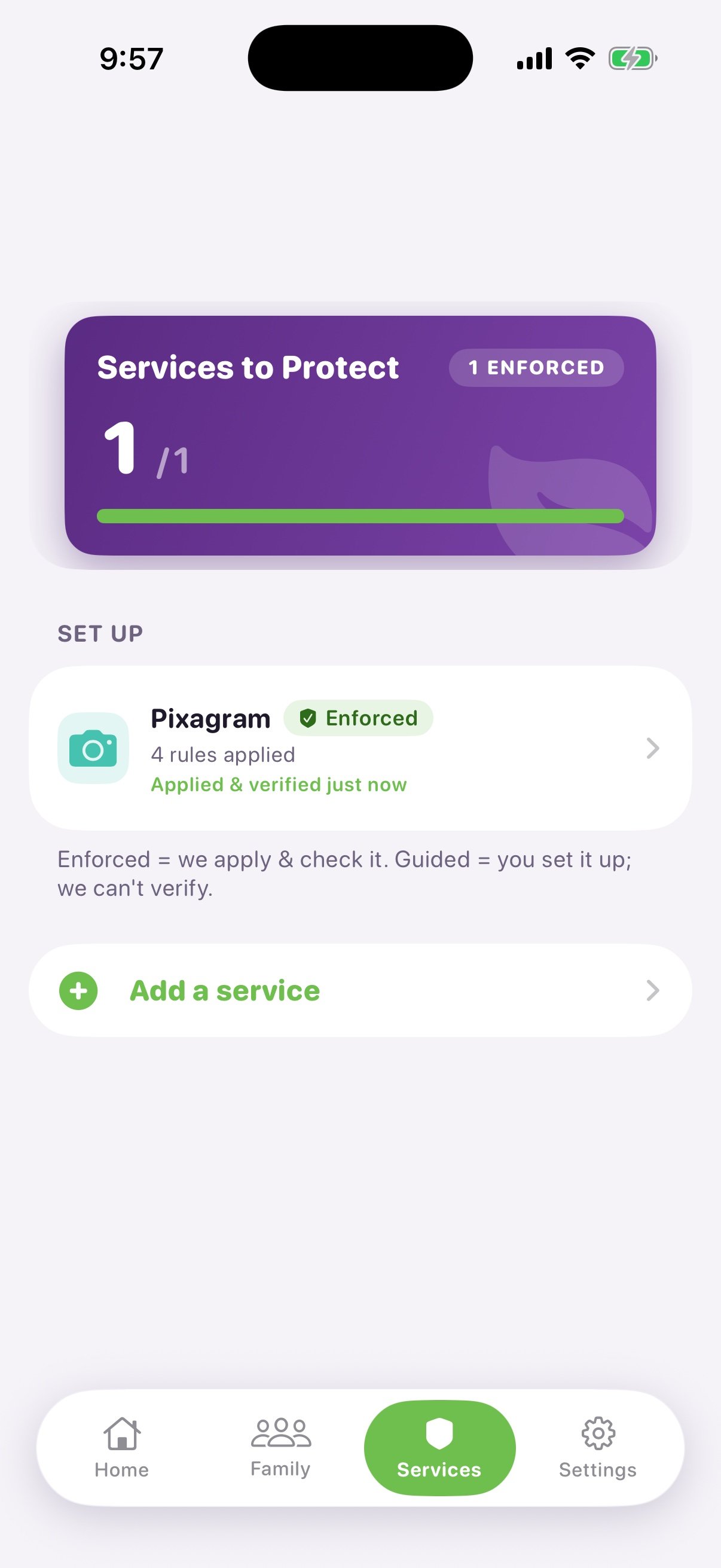
Phase 9 · Isolation. With Notflix gone, the dashboard drops to 1/1 enforced — the second service is untouched, still '4 rules applied · Applied & verified just now'. This is the app-side proof of the same isolation the /verify call proves at the API.
Relink
POST /compliance for netflix again, closing the loop.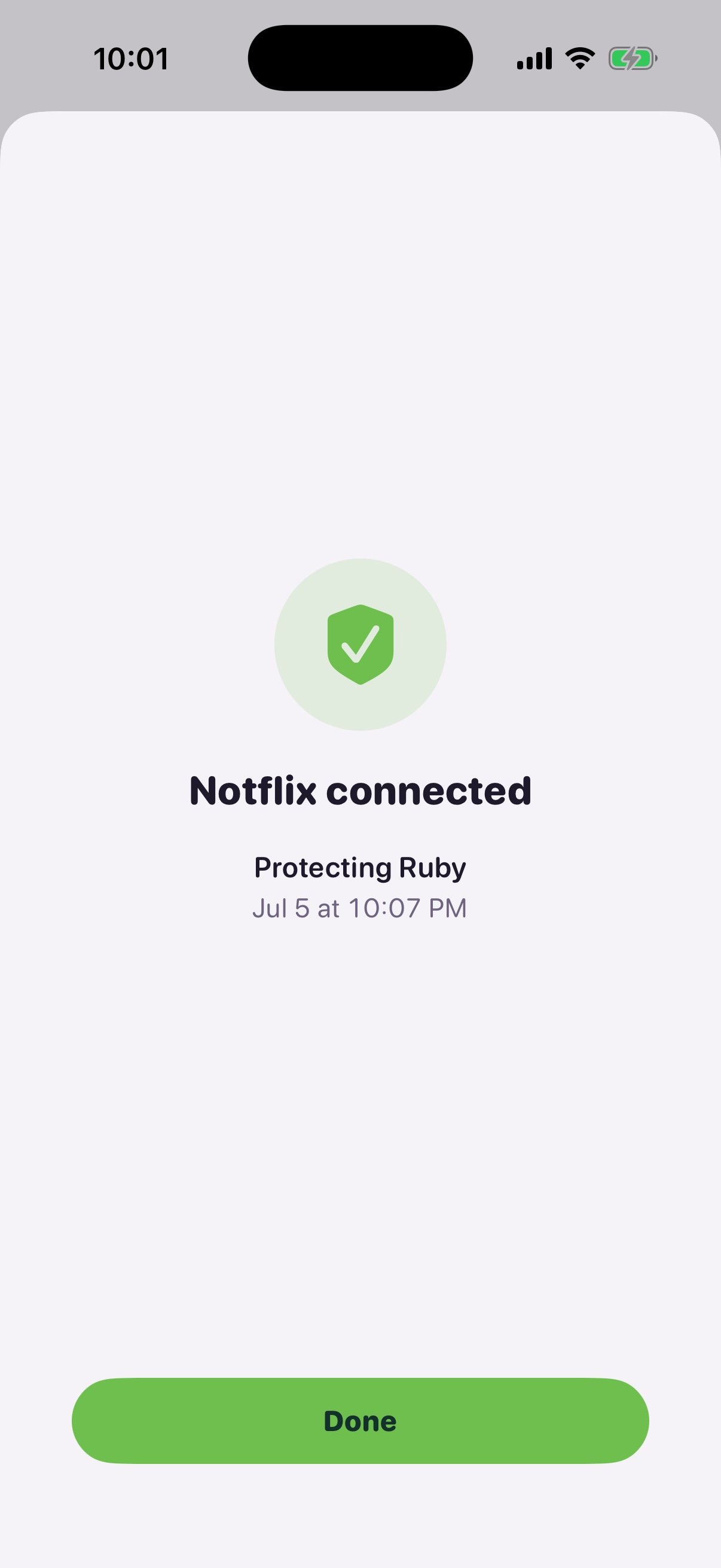
Phase 10 · Relinked. A success screen confirms 'Notflix connected · Protecting Ruby', timestamped — the relink completed and enforcement is live again on a brand-new link.
netflix).
Before you start
Set the base URL once so every step is copy-paste:authorize_url → token → profiles), see
Connect a platform. The link/unlink/relink lifecycle below is the
same either way.
Create the family
setup/quick needs
only a child name and birth date. We create Ruby — the same child the screenshots follow
(Phase 1).relaxed preset for an 8-year-old, with the content cap at PG / 7+). Truncated to
the parts you carry forward:family.id — every remaining step is scoped to it.Fields & errors
Fields & errors
child_name or birth_date returns 400 { "message": "child_name is required" }.
Re-running with the same (family, child_name, birth_date) de-dupes rather than creating a
duplicate child.Browse the catalog
GET /platforms returns everything a family can connect — streaming apps, game consoles, DNS
filters, devices, operating systems. No auth.netflix (the streaming service the
screenshots brand Notflix) and xbox (the second, unrelated service) — are what we link next:Link Notflix (netflix)
POST /compliance with the family, the platform, and a platform credential.
In the sandbox the credential is a demo token; in production it is the real access token you
obtained from the connect ceremony. This is the API form of the
link ceremony in Phase 3.verified — Phosra confirmed the credential
against the platform. This is the exact state Phase 4 renders
as Enforced · Applied & verified just now:Fields & errors
Fields & errors
platform_id or malformed family_id returns 400. A duplicate active link for the
same (family, platform) returns the existing link rather than a second row.Confirm the link
GET /families/{id}/compliance lists every active link for the family. Right now there is one:Link the second service (xbox)
xbox — same call,
different platform_id.See both managed
2/2 enforced dashboard state of
Phase 5. The same list call returns both:Unlink Notflix (netflix)
linkID. A successful teardown returns
204 No Content — no body.Confirm release — and isolation
1/1 enforced survivor state of Phase 9:

Per-service isolation, captured live: deleting the Netflix link (DELETE → 204) is scoped to that one linkID. The Xbox link is never touched and keeps verifying across the whole flow.
The survivor survived (xbox)
Relink Notflix (netflix)
linkID (note it differs from step 3):28163206…, up from the
released 5b6d14f3…) and Xbox on the same one it has had the entire time.The whole flow at a glance
Every row below is one call you just ran, in order — the same Ruby family the screenshots follow:Next steps
Connect a platform
authorize_url → token → profiles.