

Sandbox-first. The partner sandbox lives at
https://phosra-api-sandbox-production.up.railway.app/api/v1. Nothing you create there ever
touches a real family or production data. /setup/quick and the other routes below are keyless
in the sandbox; in production the same routes authenticate the signed-in parent via a WorkOS
session JWT, not a phosra_ developer key — see Go to production below.
Every response quoted below is verbatim output from that live sandbox, not an illustration.Before you start
You need exactly one thing: a terminal. There is nothing to sign up for to run this page.Step 1 — Create a protected child in one call
POST /setup/quick is the fastest path to a working policy. Hand it a child’s name, birth
date, and a strictness level; it returns a family, a child, an active policy, and a full
set of age-appropriate rules — derived from the birth date, with no follow-up calls.
200 OK):
Step 2 — See what you can enforce against
A policy does nothing until it is pushed to a platform. List the platforms the sandbox supports and note each one’senforcement_mode. The value is one of dns, device, or
manual_attested: dns and device platforms apply rules programmatically (a live
DNS-provider write, or on-device via the Phosra app), while manual_attested platforms return
guided parent steps for the parent to attest. See Platforms & enforcement modes.
android, apple, microsoft, controld,
cleanbrowsing, fire_tablet, fire_tv, xbox, playstation, and nintendo. Each entry
carries its capabilities (e.g. time_limit, web_filtering, content_rating) and its
enforcement_mode.
Step 3 — Enforce, then read the result
Push the policy for a child. Enforcement is asynchronous: the call returns a job (202 Accepted) that you poll until it is completed.
That’s the full loop: create → target → enforce → confirm, all against a live census, in
four requests and about a minute of wall-clock. No account, no key, no SDK.
Optional — your own signed identity on the census
The steps above use Phosra’s product-plane convenience routes. The OCSS census itself — signed rule writes, consent attestations, enforcement receipts — authenticates every write with an RFC 9421 DID signature, never a bearer key. You can get a working identity on the live Trust List, and make your first authenticated call, without leaving the sandbox.1
Register a sandbox identity
Generate an Ed25519 key and self-register its DID. The sandbox mints you a (Your DID appears on the live Trust List the same instant — confirm it:
provisional
Trust-List entry immediately — no review, no email.POST /advisors/register still works but is deprecated — it forwards to
self-register. Use self-register in new code.)Live response (200 OK):2
Make your first authenticated (signed) call
Census writes must carry an RFC 9421 signature. The Live response (Send the same request without a signature and the census refuses it — proof the
authentication is real, not decorative:
@phosra/link SDK signs locally for
you — here it mints a sandbox consent attestation as the identity you just registered.201 Created) — a real, signed census write:@phosra/link guide and the Onboarding walkthrough.
Go to production
The base URL changes, and so does the auth model./setup/quick, /platforms, and
/children/{id}/enforce are consumer routes — keyless in the sandbox, and gated by a
signed-in parent’s WorkOS session JWT in production. A phosra_ developer key sent to these
routes in production returns 401, not success.
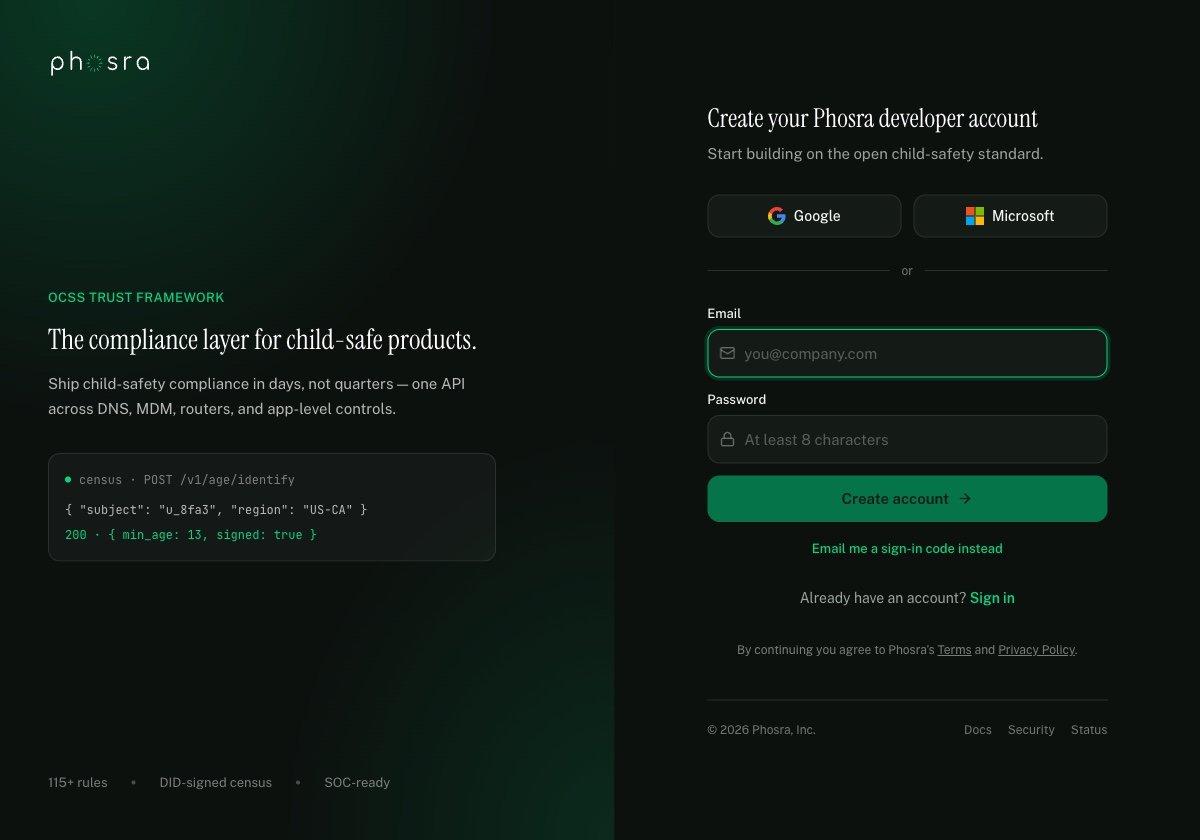
Self-serve signup at dashboard.phosra.com — email or SSO, no sales call, no waitlist.
1. Swap the base URL
https://phosra-api-sandbox-production.up.railway.app/api/v1
→ https://prodapi.phosra.com/api/v1 — full matrix on Environments.2. Sign the request as your user
Send
Authorization: Bearer <workos_access_token> from your app’s already-signed-in parent
session (the same WorkOS AuthKit session your web/iOS/Android client holds after login) — no
developer key involved on these routes.Two planes, one mental model. Consumer routes (
/setup/quick, /families, /children, …)
authenticate the signed-in parent — a WorkOS JWT in production, keyless in the sandbox. The
phosra_ bearer key is for server-to-server integrations instead: Phosra management
calls (orgs, keys, usage) and the /developer/*-prefixed twin of the data plane. There is no
/developer/setup/quick — a developer-key integration builds the same graph from
/developer/families, /developer/children, and /developer/policies. OCSS census writes
(rule writes, consent, enforcement receipts) authenticate with a DID signature, never a bearer
key — see Authentication for the full split.Next steps
Create your account & get keys
The self-serve funnel from zero to a
phosra_test_ key.Authentication
Bearer keys vs. DID signatures — when each applies, and why.
Errors
Every error
code and class the API can return, documented.Platform integration
Fetch a signed enforcement profile and enforce it locally.
Example apps & starters
A runnable end-to-end starter plus every real, clonable example repo and package.
AI tools & agent ingestion
Machine-readable docs: llms.txt, per-page markdown, and the OpenAPI specs for agents.